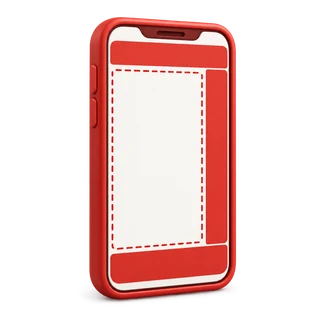
A safe zone is the part of a vertical video that the app's interface does not cover. On TikTok, Instagram Reels, and YouTube Shorts, the caption, the username, and the like, comment, and share buttons sit over the bottom and right of the frame, so text or faces placed there get hidden.
Free safe zone templates (PNG, 1080 x 1920)
Each template is a transparent 1080 x 1920 PNG. Put it on the top layer in CapCut, Premiere Pro, Canva, or any editor, keep text and faces inside the dashed box, then hide the layer before you export.
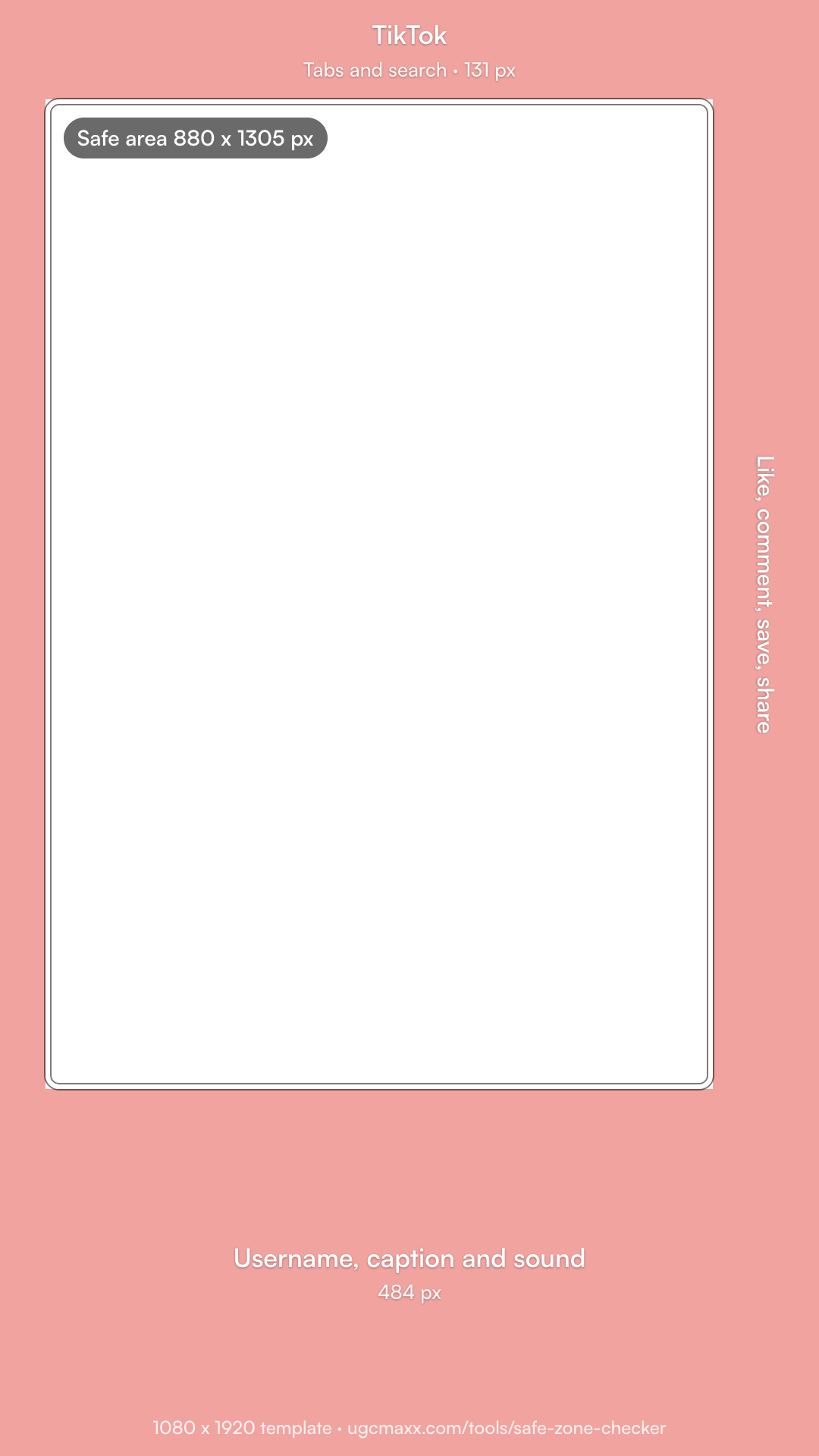 TikTokPNG, 1080 x 1920
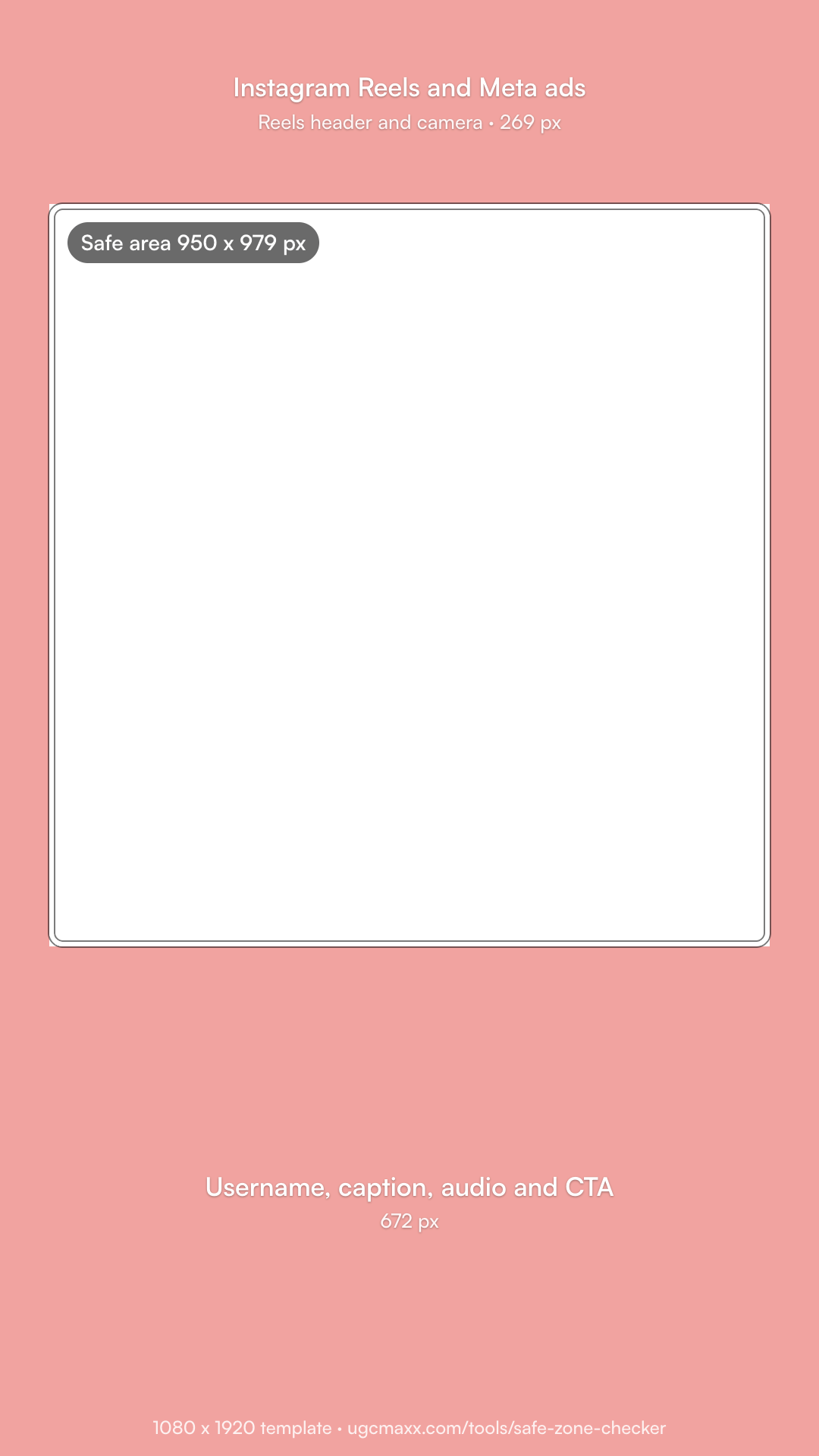 Instagram Reels and Meta adsPNG, 1080 x 1920
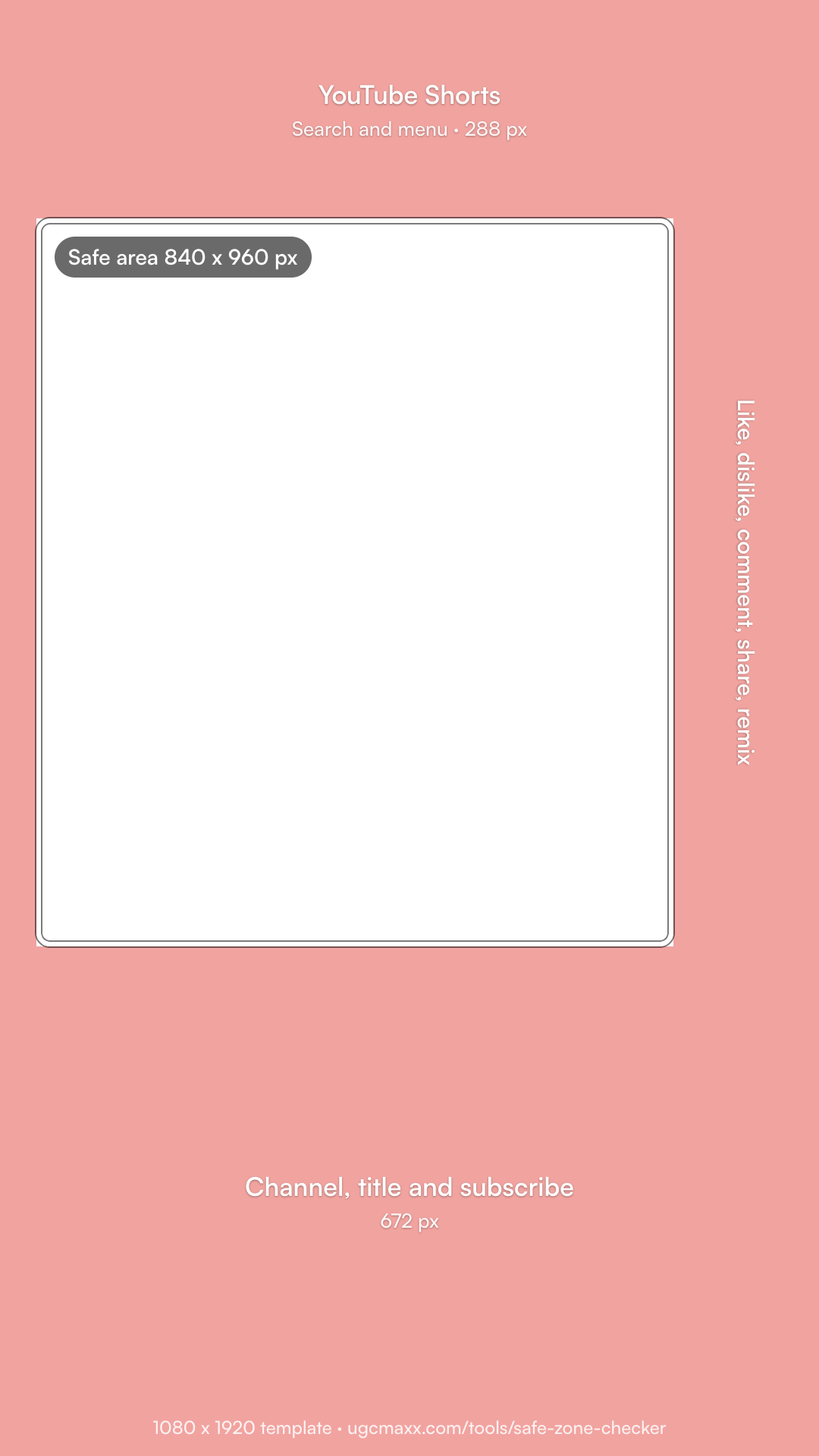 YouTube ShortsPNG, 1080 x 1920
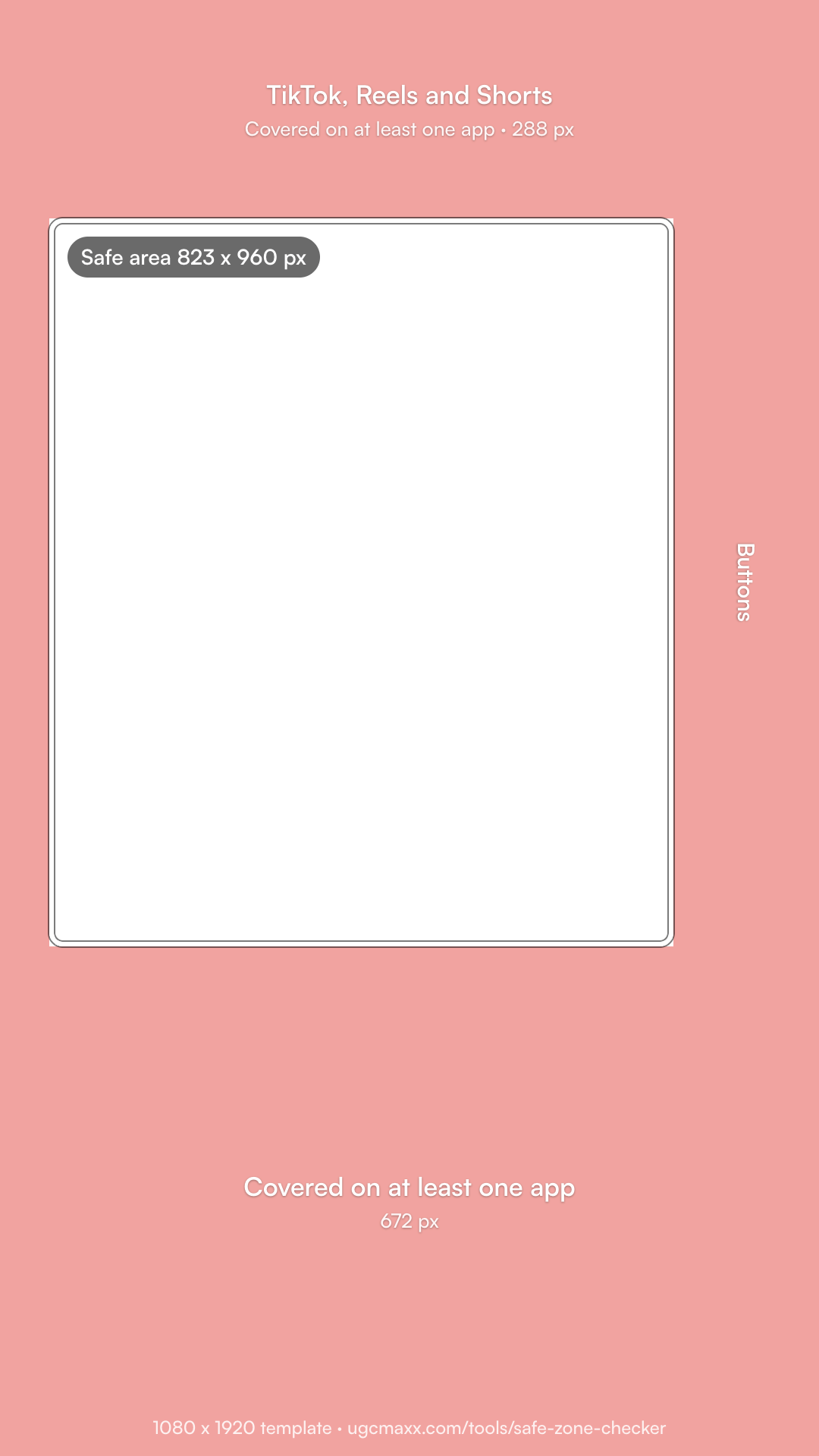 All three appsPNG, 1080 x 1920
What are the safe zone margins for TikTok, Reels, and Shorts?
| On a 1080 x 1920 video | Top | Bottom | Left | Right | Safe area |
|---|---|---|---|---|---|
| TikTok | 131 px | 484 px | 60 px | 140 px | 880 x 1305 px |
| Instagram Reels | 269 px (14%) | 672 px (35%) | 65 px (6%) | 65 px (6%) | 950 x 979 px |
| YouTube Shorts | 288 px | 672 px | 48 px | 192 px | 840 x 960 px |
| All three | 288 px | 672 px | 65 px | 192 px | 823 x 960 px |
These are conservative margins, checked October 23, 2026. Shorts uses Google's own vertical video ads template. Reels uses the 14% top, 35% bottom, and 6% side margins that ad guides attribute to Meta. TikTok uses common published templates, which differ slightly from source to source. App layouts change, so always check a test post on a phone.
What is the Meta ads safe zone?
Meta's Business Help Center gives no fixed margins. For 9:16 ads in Stories, Reels, Feed, and Facebook in-stream reels, it says to keep the top, bottom, and sides free of key text and logos. In Ads Manager, the Safe zone guardrail shows the safe area inside a yellow overlay. Two rules are specific:
- Disclaimers: a Reels ad with a disclaimer should leave the bottom 40% clear.
- Taller screens: Meta may zoom a 9:16 ad to fill the screen, which crops the edges, so keep key elements well inside.
Our Instagram Reels and Meta ads template fits that advice. For an ad with a disclaimer, keep the bottom 768 px (40%) clear instead of 672 px. See the Instagram Reels and Meta ads safe zone page for Stories, Feed, and 720 x 1280.
Does TikTok have an official safe zone?
Yes, for ads. TikTok's Ads Help Center says the safe zone for in-feed ads depends on the video's shape, the length of the ad caption, and any extra formats, and it offers safe zone files to download there. A long caption pushes the bottom margin up, so keep captions short or leave more room at the bottom. See the TikTok safe zone template for the margins at 720 x 1280 and the rules for Spark Ads and TopView.
How do you use the safe zone checker?
- Add a frame. Drop a screenshot, a thumbnail, or a video into the checker. It stays on your device.
- Pick the app. Choose TikTok, Instagram Reels, YouTube Shorts, or all three at once.
- Check the overlay. The red areas are where captions and buttons usually sit. Move text and faces into the clear box.
- Test in the app. Post a private test or a draft and check it on a phone before you publish.
Where should text and faces go in a UGC ad?
- Hook text in the upper middle of the safe area, where the eye lands first.
- Faces centered and a little above the middle, clear of the caption block.
- The product in the center of the frame when it is revealed.
- Captions at the bottom of the safe area, not the bottom of the frame.
- Nothing important on the right edge, where every app stacks its buttons.
One video can run on all three apps if its key elements sit inside the 823 x 960 px box that is safe everywhere. That is how we edit every UGC ad we deliver, with separate 4:5 and 1:1 cuts for feed placements.
Sources
- About text overlays and the safe zone for ads (Meta Business Help Center)
- Use square and vertical video, with the 1080 x 1920 safe zone image (Google Ads Help)
- TikTok Auction In-Feed Ads specs and safe zone files (TikTok Ads Help Center)
- Meta safe zones guide (Adnova) and Instagram safe zones (Zeely)
- TikTok safe zone guide (EZUGC)
- YouTube Shorts safe area (AdChecklab)
